Hi @Andrew and welcome to SellersAskSellers!
I agree with @Pepper_Thine_Angus @Lost_My_Marbles @bookwormapril and @ASV_Vites that IF you are going to request Seller Feedback (or Product Reviews) from Buyers, you do it only by using the “Request” button in Manage Orders, individually and manually. This way, there should be no gray areas about whether your message or contact is compliant with Amazon’s policies.
That being said, I’m intrigued by how that request is actually communicated to Buyers. Please see below for two emails I have received as a Buyer for Amazon purchases this month:
- Both orders were FBA from 3P Sellers (sold by X, shipped by Amazon).
- Both emails are from official Amazon accounts. BUT NOTE: Titles, content, sender, and destination links are different.
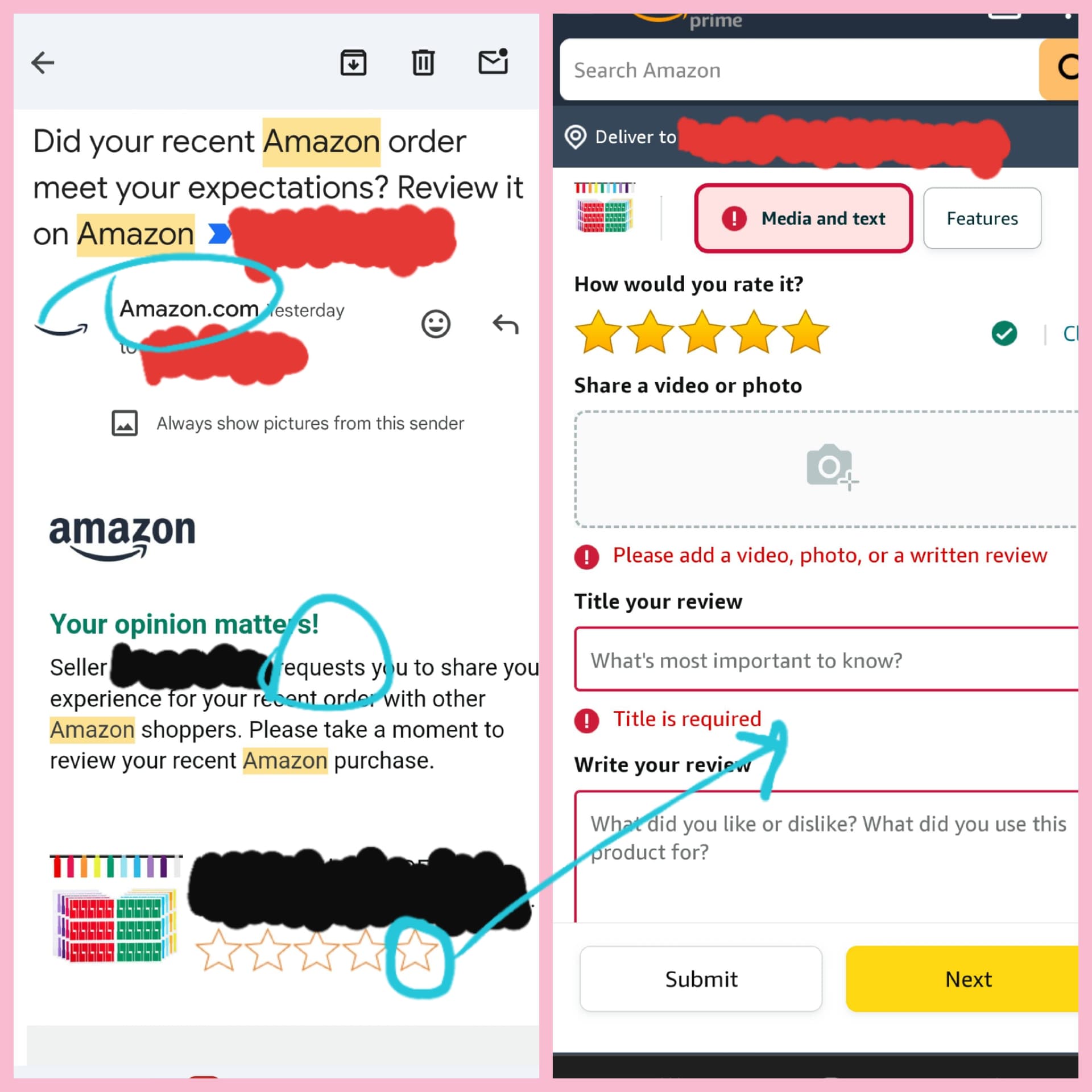
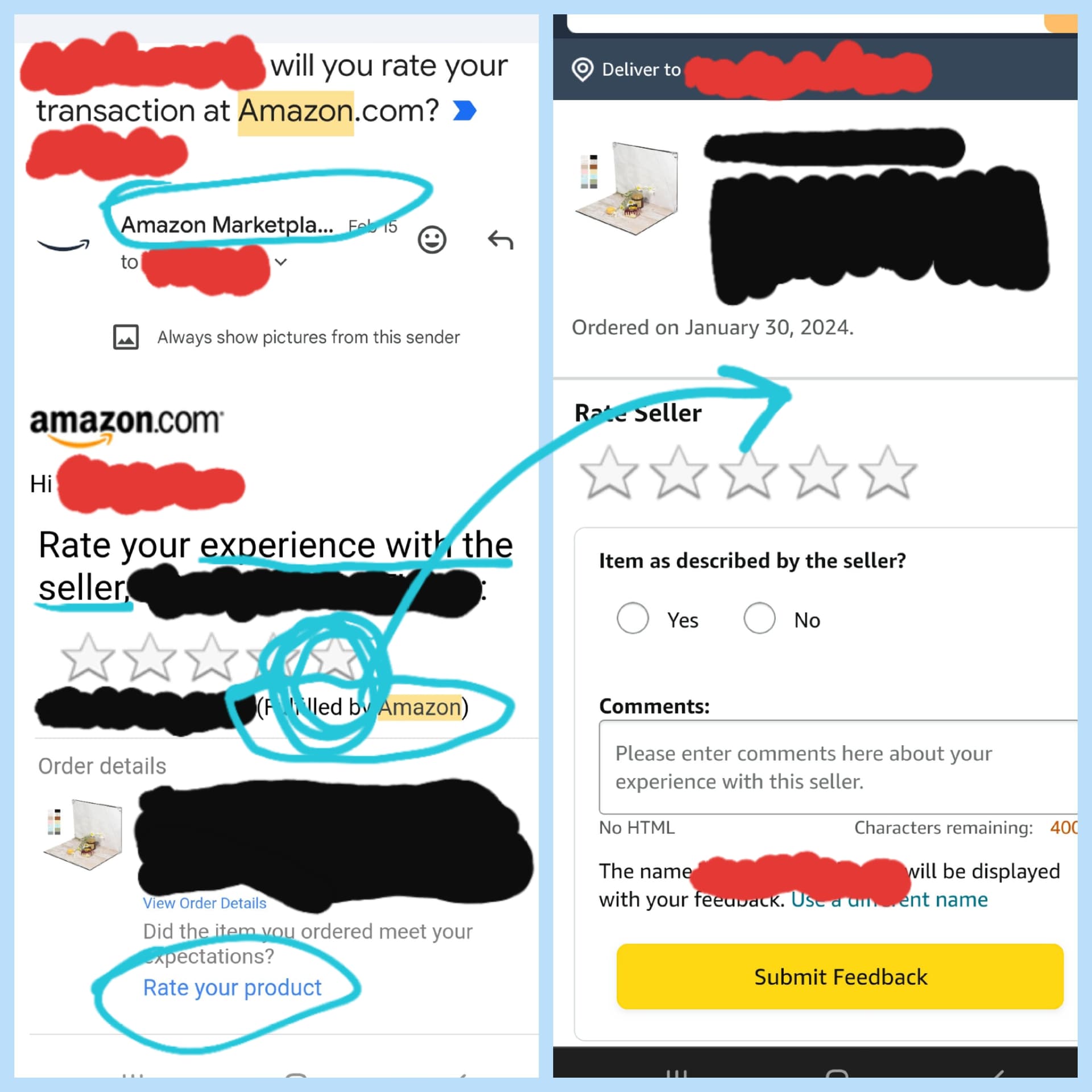
- For each image, the left-side portion is the email I received, and the right-side portion is where I was directed when I clicked a star in the email. RED blocks my details, BLACK blocks Seller/product details, BLUE indicates “areas of interest”.
- The PINK image specifically says “Seller requests” and took me directly to a Product Review (not Seller Feedback).
- Interestingly, I was prohibited from simply leaving a star rating…so that’s a no from me on leaving any Product Review (sorry y’all, I will only leave detailed product reviews for awesome or awful products, nothing mid).
- The BLUE image specifically notes “Fulfilled by Amazon,” yet when I click the same star as the PINK email, it takes me directly to Seller Feedback, for a Seller not actually doing fulfillment or customer service.

Anyone have any insight into which of these (or both, or none) are generated by the “Request” button? And/or why/how these two different emails are generated?
Click an image to enlarge.