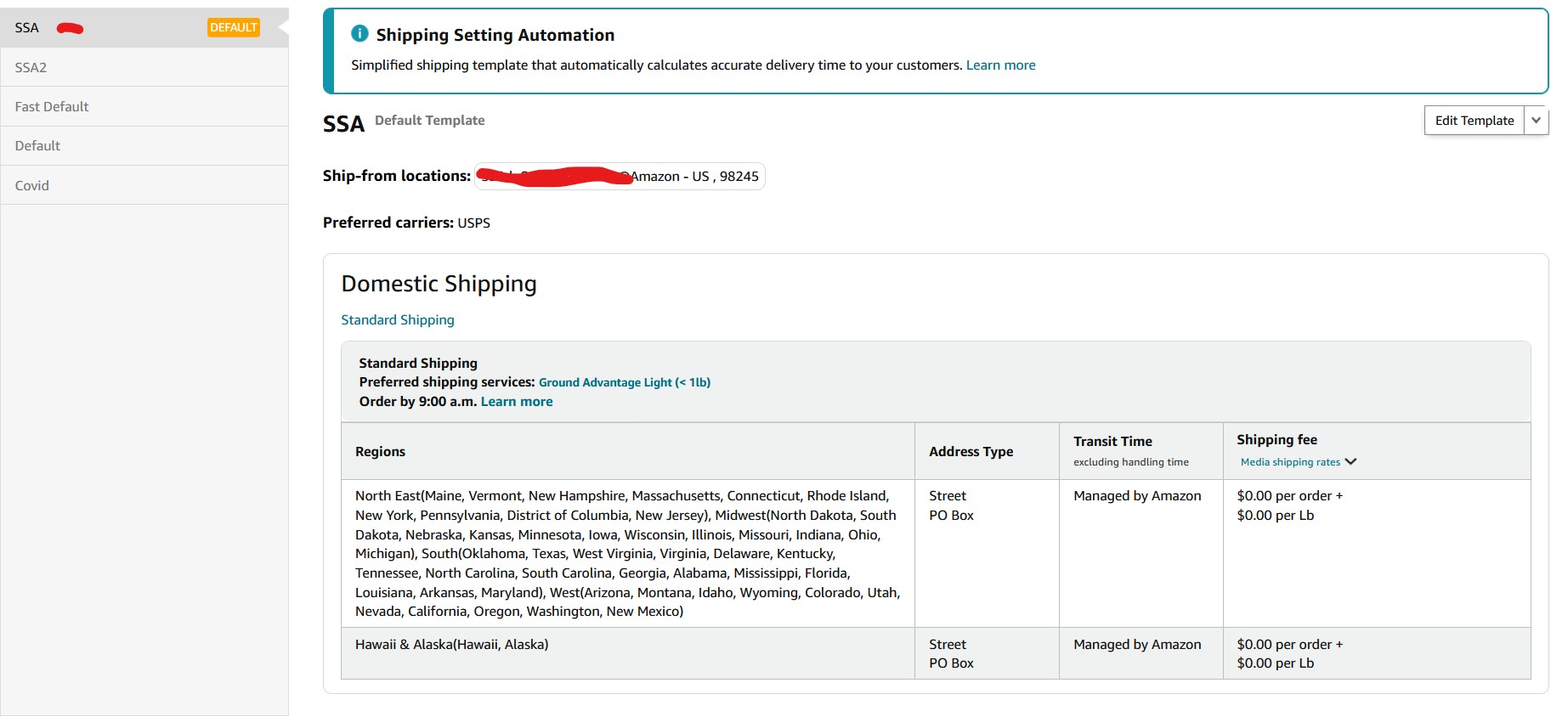
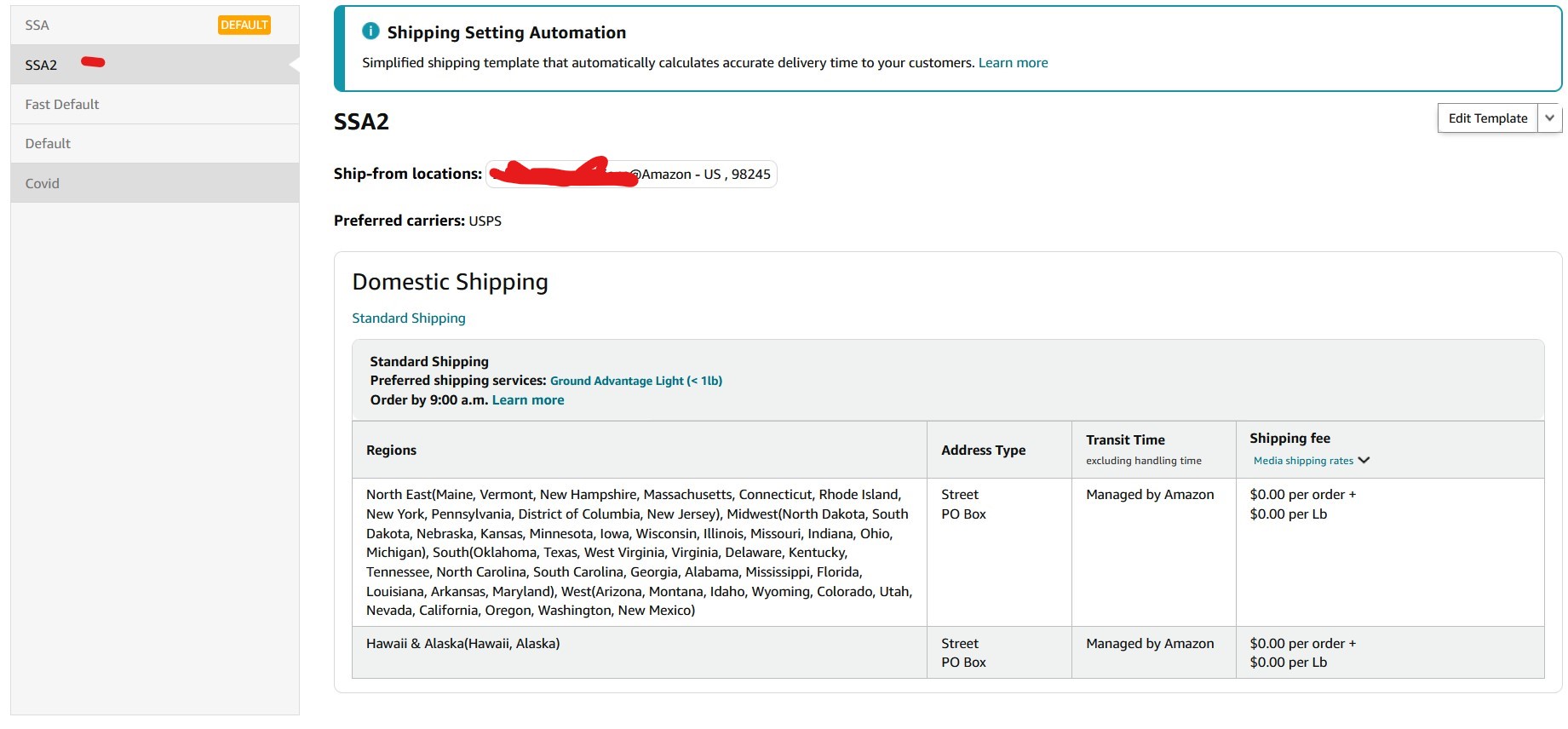
Zone 1 to zone 8
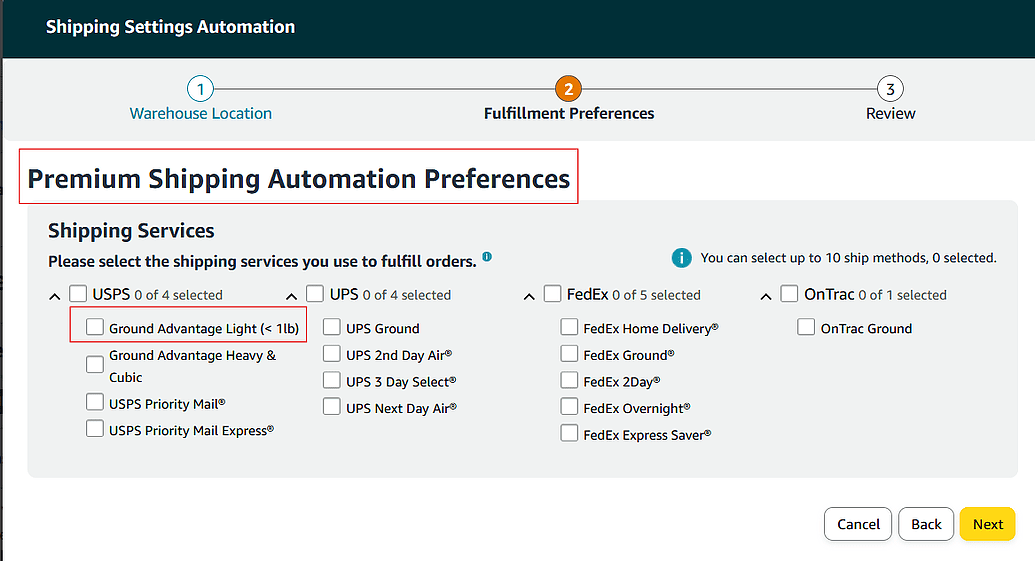
Exactly like this and with NO selections at all on the “Premium Shipping Automation Preferences”
Here is my final template
Here is ours …
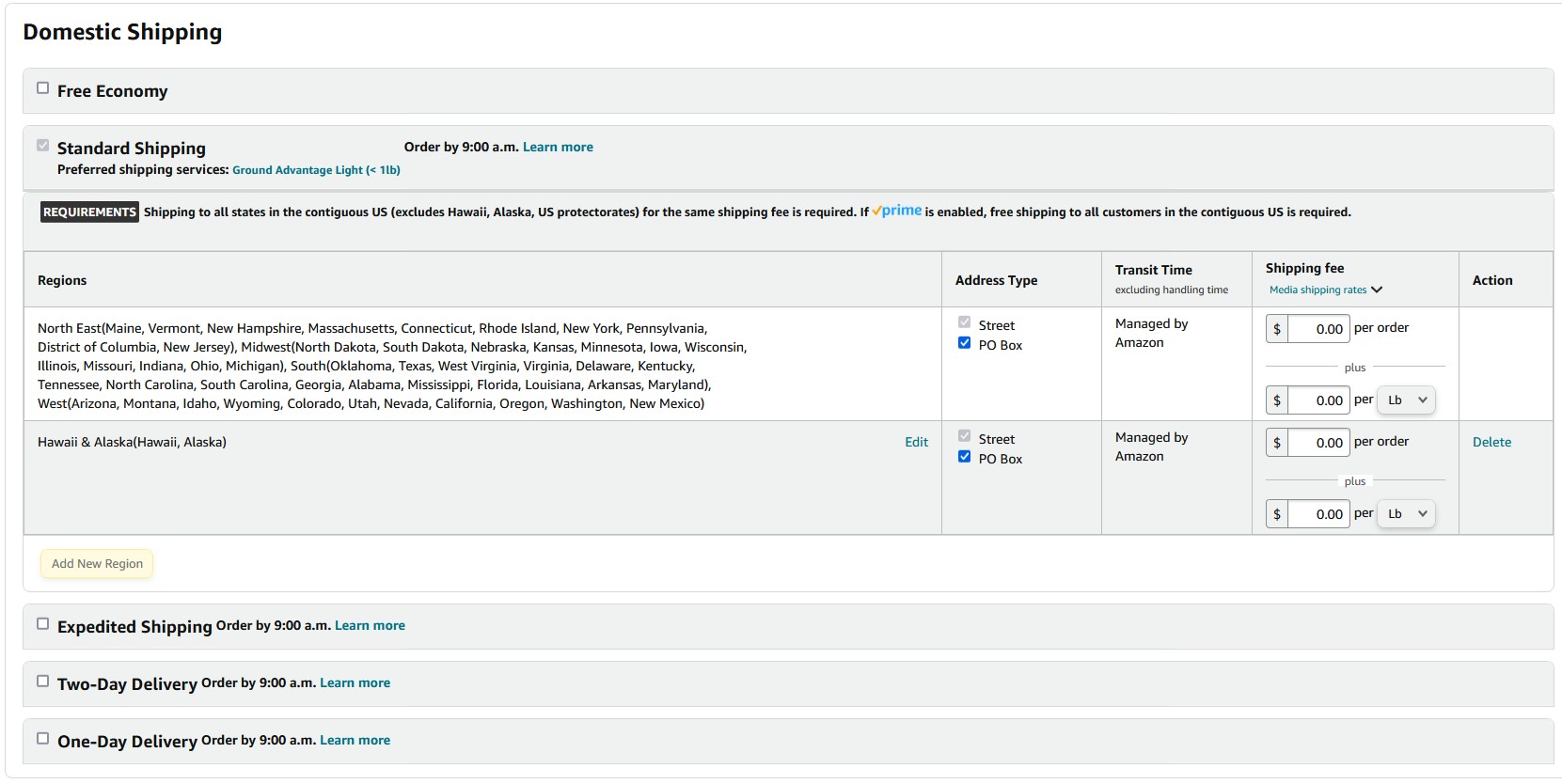
Notice that only Standard is showing? … not even the check box selection for any of the premium services or economy.
We think you checked something on this page during set up other wise you wouldn’t have the option to select the premium service boxes…
Go back through set up and, when you get to the Premium Shipping Automation Preferences, leave everything unchecked and click next on the bottom.
@wadeorcas ,
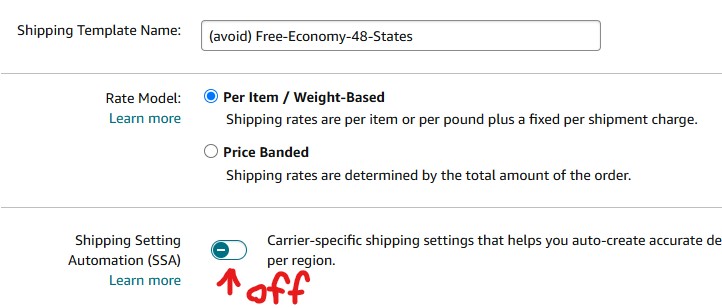
Your screenshot gives me the impression that someone forgot to click on the toggle for SSA. Or, maybe someone turned it off.
This is how it appears when Off.
Do you see a green check or this image above?
He has it turned on … you can see in his image that transit time is Managed by Amazon.
I made this mistake on my first SSA template attempt but was aware of that on my 2nd attempt. I’ll try again.
Ok … system glitch that corrected with second attempt.
We would delete SSA2 template (if no items attached to it) and wait and see the results over the next week or so with SSA template.
Hmm…you might be on to something here. You almost wonder if 3P sellers were starting to get the items there faster than Prime and that was making Amazon look bad?
Yeps, I have tested both as a seller and as a buyer. Usually, 3rd party items arrive at the promised time or earlier, while prime is the exception when on time. I’m right now waiting for a prime item that was supposed to be delivered this Monday (today is thursday!). So far, 2 “apology” $5 gift cards later, still the item is “delayed in transit” due to some internal issue (according to customer service). Bought the same item on tuesday from a 3P, and it’s out for delivery today. Obviously, as we speak, I’m cancelling the prime order.
As a seller, all my competitors are FBA. I ship next day, always Priority Mail and my listings always have has an earlier delivery time than prime. (tested by private browsing with many zip codes to compare depending on FBA warehouses). Whatever happened with the 2 and 1 day prime delivery, who knows.
Now, with the forced automation and the need to withhold shipments in order to not be forcefully placed on the one day template I had to place a limit on my daily orders to be always on top of any automation glitch, so now they add days to my delivery promise as they wish to keep prime delivery always one day ahead of mine.
We tend to think that Amazon is ruled by deranged bots and a band of chimps in front of a computer and that they mess up all the time, but this particular move has been made with all the intention of throttle 3p sellers, and it works. No mistakes here.
Hi @wadeorcas! I hope everything has been running smoothly since you adjusted the template. Have you had any new “Priority” orders? If so, what percentage do they make up compared to your total orders? Thanks!
I have had 2 orders out of several hundred since switching to SSA where I was forced to use Priority vs Ground Advantage. I have not figured out why I was forced to buy Priority on those 2. All orders were shipped on time.
Did you use Buy Shipping in Bulk or Buy Shipping from the order detail page?
Did you have shipments that had “Late Delivery Risk” warning?
During early December, we were seeing “Late Delivery Risk” warning on labels we were trying to purchase on Buy Shipping in Bulk but, if we bought the label on the Buy Shipping from the order detail page, we had both of the protection badges. This generally was happening on orders being shipped out on Mondays (at least to us).
Our guess would be that you got caught up in that programming glitch without knowing on some orders. When an order has the “Late Delivery Risk” warning on the shipping label and that is the one you buy, all of the protections are void … INR and OTDR.
We were able to avoid those label purchases and during December we have had two late deliveries without them hitting our OTDR.
Download the report on the OTDR page and see if your 14 orders were ones with the “Late Delivery Risk” warning.
Both. Sometimes, bulk would display late delivery risk when individual buy shipping would not. ???
That is the devil part as it means one looses protection … period. Does matter if we had AHT, SSA and Amazon shipping.
That is what we saw very consistently and was able to avoid it.
Mine is worse than yours! Just notified today my account is at risk of deactivation because of late delivery. I have SSR and AHT enabled. I thought I was protected against OTDR issues
It will get worse.
You will soon receive a large box. Amazon will deduct postage for it from your account. When you open it up, you will discover that it is your new delivery drone. Amazon will bill you for that too.
Now your delivery promises will be in hours, not in days. Your packing time will also be measured in hours.
Never flown a drone before? Amazon will have a video for that, complete with instructions in an unintelligible Indian accent.
Amazon will require that you purchase additional liabilty insurance to cover the costs of your package falling on a customer.
Customers will have two more return codes to stick you with return postage: “Item damaged on impact”, and “Dog killed by falling package”.
You never should have joined SSA.
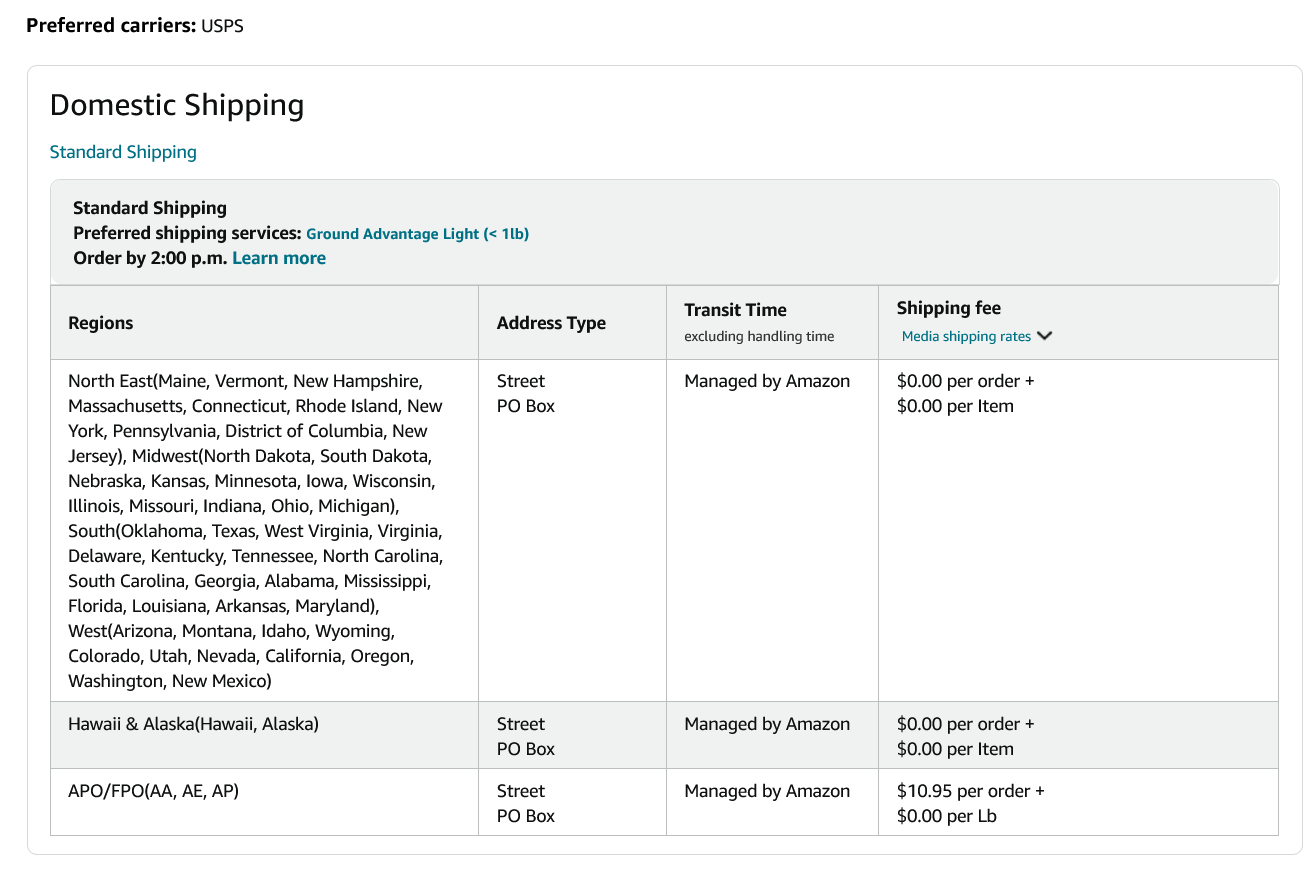
 WTF?
WTF?