Ok … what we suggest is opening up the Manage Edit page and either printing or taking a screen shot of each tab on the listing. This way you have all of the information that you will need to complete the excel file.
The first section of the columns on the template tab of the file are required and must be completed. This will include the description. Since your issue is the description, this section would be the only attributes to complete. Then you would need to find the attribute Update Delete column and select PartialUpdate. Once this is done save the file.
Now go back to the page where you downloaded your category excel template and select the tab Upload your spreadsheet
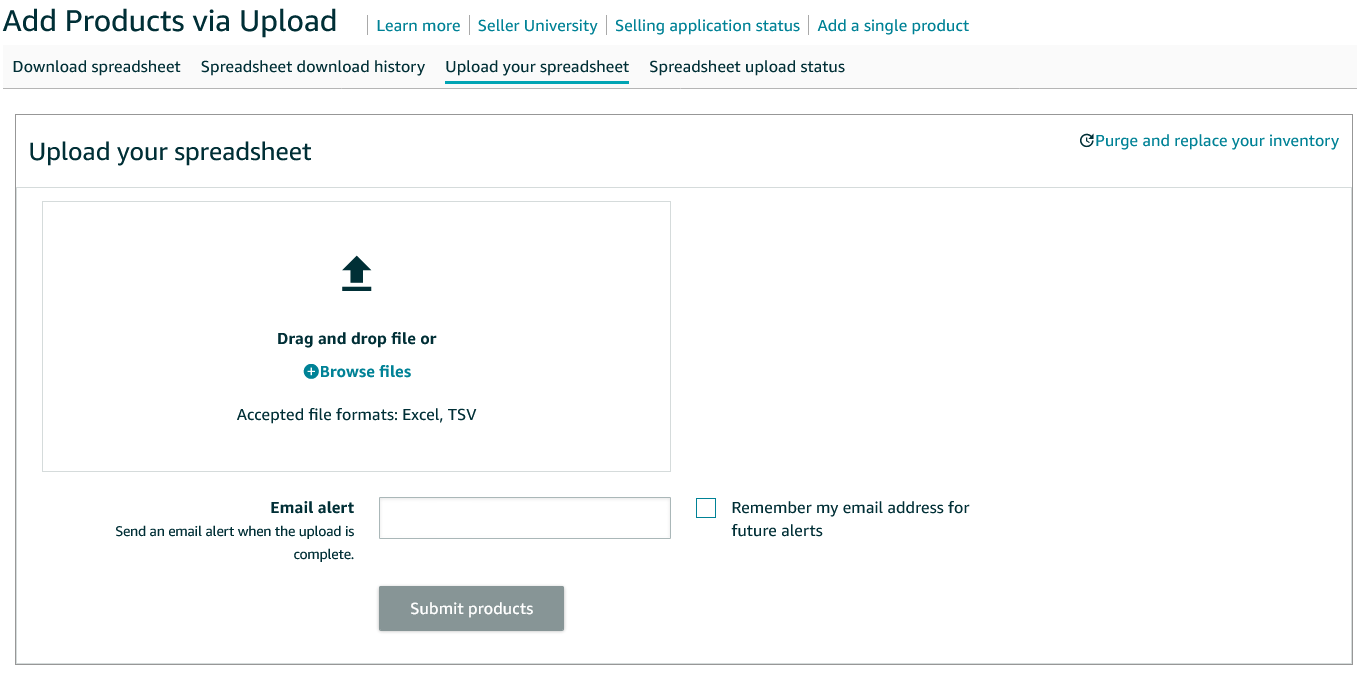
Drag and drop the file into the box or browse your files to select the file from your computer. Then click the Submit products button.
Now switch to the Spreadsheet upload status tab on this page and what for the result. You may have to hit a refresh button after a few minutes. One item usually doesn’t take to long but the system could be busy do to Cyber Monday.
After you get the results and if it is good, wait a little bit (maybe up to 24 to 48 hours to allow time) and check your listing to see if the description is there.
If the upload is bad, come back and we will walk you through how to find out why it was rejected.