Hi! For several days now I get told I have new messages, they have the blue dots by the person sending them to me, but I cannot view them. I posted this issue and got a response several hours ago, but of course, could not open it to read the advice. 
(This issue is on Amazon sellers forum, not here)
Well, @suzq48, I’m definitely flummoxed because I thought and/or for the past year, the NSFE didn’t allow PMs. 

Gonna tag some folks who onboarded to NSFE (I think?) since I did not: @oneida_books @dwat0870 @Lost_My_Marbles @anon72228237 @joebcrafts @Brigitte @HobbesIsMyTiger @Image @ModernSwitch @Haegan2005 @Tandi @RiverRetail @TCLynx
there is no messaging..would have to be some odd bug
Hold it, title says “Notifications” then OP states “Messages”. I assume you meant the notifications wont show?
They are doing something on the notifications today, mine are formatted differently than they used to be…
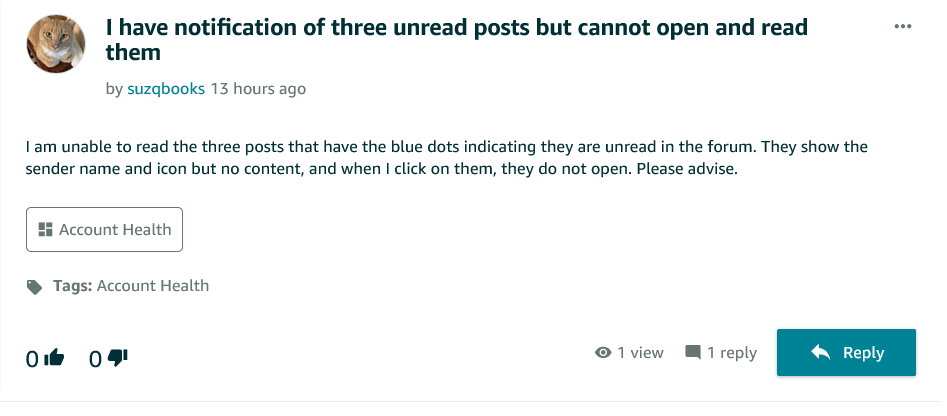
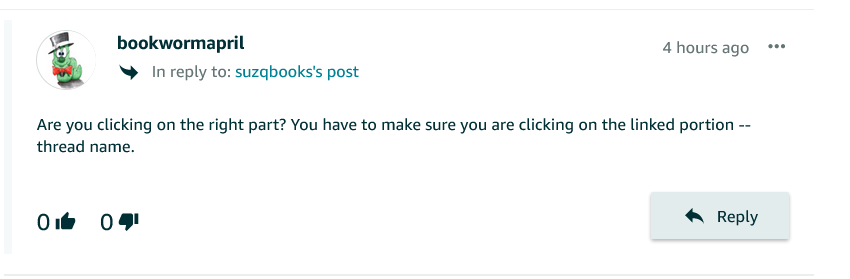
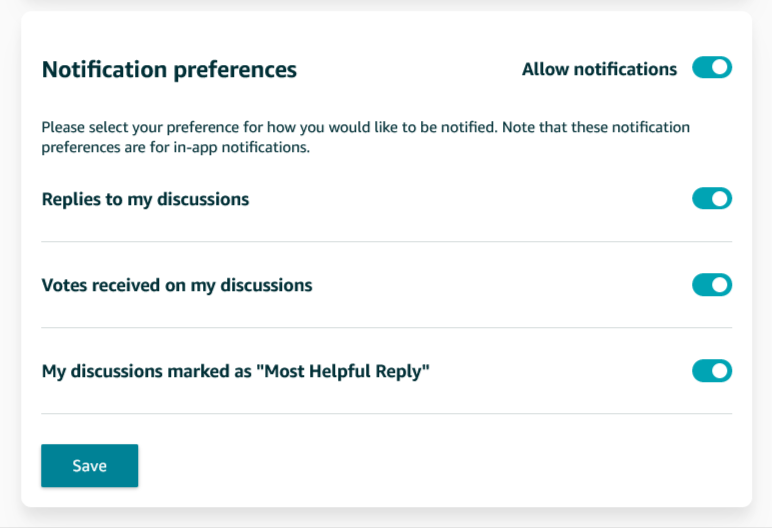
Check your preferences

And as @bookwormapril noted … click on the blue text link to read or view …

Finally, it could be a browser issue where you need to update the browser, restart (refresh) the browser and/or clear your history and cookies.
@suzq48 can you please screenshot and post the image here? (blocking out NSFE handles, of course)
Nope. No PM’s yet.
I believe you mean here on the "Notifications Tab on the NSFE, as @bookwormapril mentions and @Lost_My_Marbles shows in his post.. All mine are read so I have no blue dots to the right

For these you click on the blue linked text to go to the
“post.”
Mine changed a while ago. No sure I like the new format.
Yes, our notifications are simple and do not include communication with other sellers.
They are things like “Votes” and being “Mentioned” by other sellers or NSFE Staff.
Must be on my computer…can’t take a screen shot either (and do know how)…I have used the forums many many times and the issue is when I go to click on new notifications ( those I have not read) there is no way to see the text of the new notification, no matter where I click. There is a solid blue dot next to the sender of unread items but no way to open them. I will try to get help with the computer company that rescues me online and let you know if I get it fixed. Thanks for your efforts!
I’m having a hard time figuring out exactly where you are seeing any blue dots BUT there seems to be a sporadic ‘glitch’ in the ’ Notifications’ tabs lately.
I just marked all of mine as read so I can’t show you the error BUT what I have seen is the notice saying I have some but clicking on “All” does NOT show them.
I accidentally clicked on the “unread” tab and there were several that showed up that were days old!
Only AMAZON could find a way to decide that old, unread messages should NOT be included in the “ALL” tab!



Thanks everyone. For whatever magical reason, it fixed the issue when I cleared all the history on Safari and restarted Amazon.
Yep …
Being in Imaging, I never tried that, I always use print screen, then paste that into photoshop.
I tried your “Win” plus “shift” plus “s” key, saves some steps when in a rush.
Known as “Snip and Sketch” thanks for the Tip!
Wonderful magical news! 