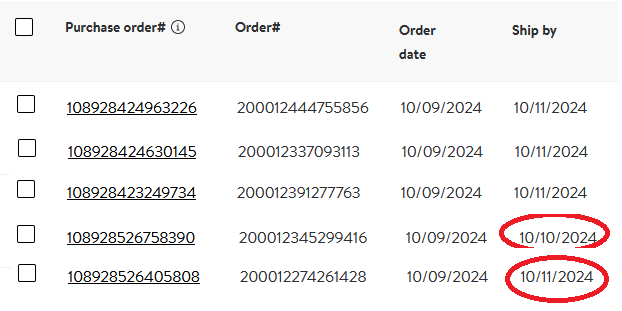
I am unable to find a handling time setting when I am in my Seller Central settings? I don’t see it under “Shipping Templates” either. What’s weird is that an order that came on 12/10/24 shows it needs to be shipped by 12/11/124, but then another order that came in this morning, 12/11/24 also shows it needs to be shipped on 12/11/24. I thought we there was a default 1 day handling time for orders that came in. Why are some orders being marked to be shipped same day?
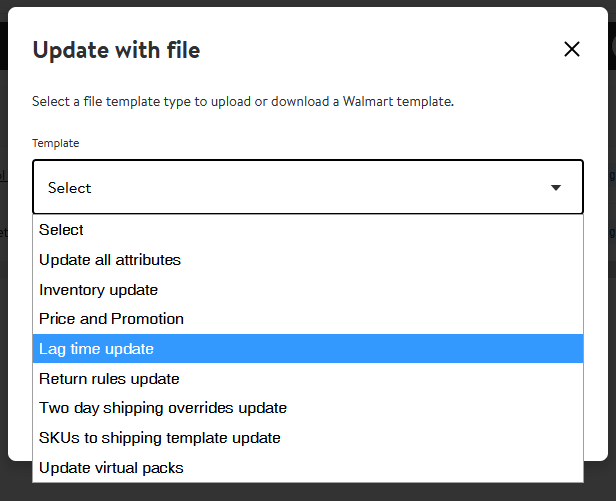
There is not (like there is on Amazon). You have to upload a “Lagtime” report. That has been our experience and it’s a pain in the a**!
Indeed, it is pretty annoying.
On the other hand, Walmart isn’t getting all up in my face about handling gaps, delivery promise gaps, overriding my settings…
yet
They are starting to get all up in my business with some of those things and they are really bad at communication (just like the Big “A”).
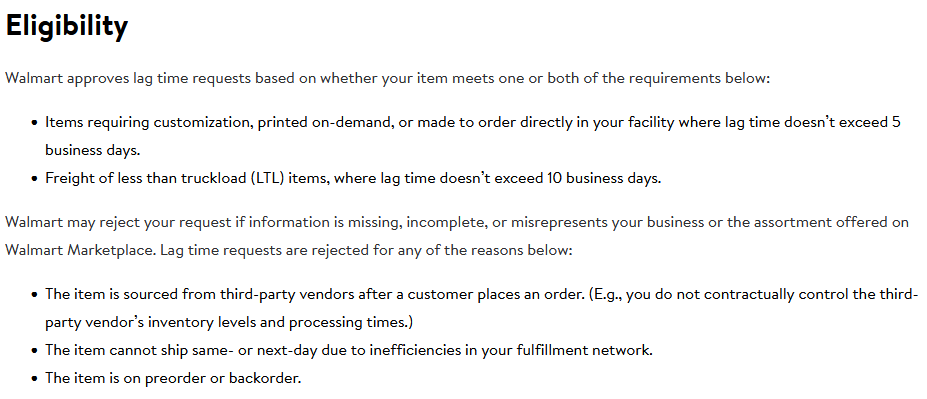

You can submit it and then wait to hear their answer. They can reassess and take it away whenever they feel like it. You have to be diligent and pay attention.
I have been asking the same question of Walmart for a while now.
One Response was “You have 1 day to confirm the order in Seller Center and add tracking. Another day to get the item shipped out with the carrier.”
I never seem to get a straight answer.
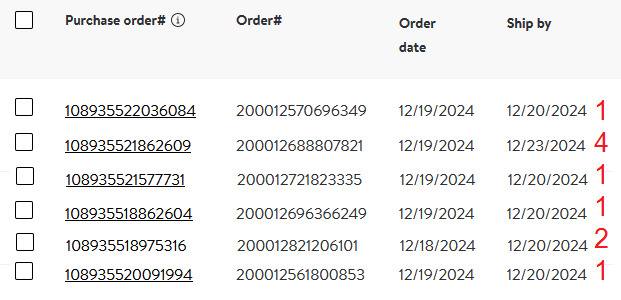
Why do some orders come in that need to ship same say, others next day & others in 2 days?
We have 1 template & I was told any new seller wouldn’t be granted any change of 1 day lag time.
I’m just trying to understand what is happening.
Right now it appear that any order that comes after 11:30am I can ship tomorrow, before that it may or may not need to ship today.
That’s the best I can figure out right now.
True, that.
Noticing an email delay notifying us of orders. Since they are asking they be shipped same day, we have to check hourly. Email notifications seem to be coming several hours later, often after our carriers have picked up.
And those daily emails … makes no sense.
Everything is gone the day of purchase tracking uploaded immediately.
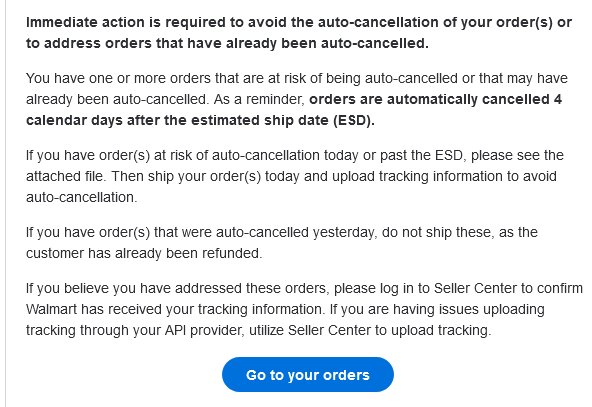
Yeah, we get that email everyday.
You’d think they would only send it if you actually had late orders.

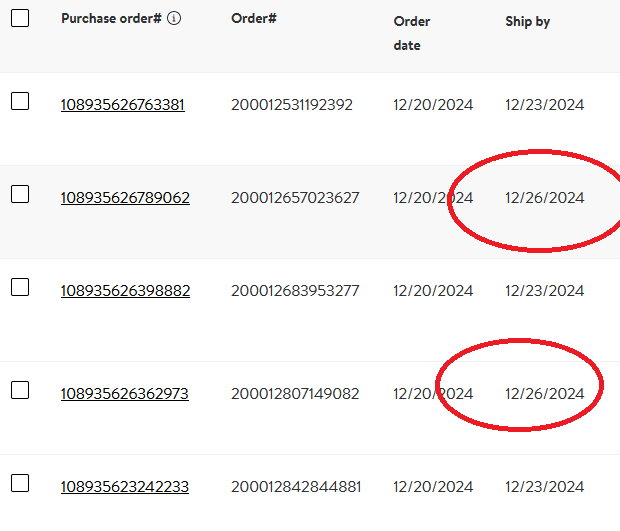
For orders placed on Fridays, what’s the typical ship by day?

I have found Walmart/Marketplace is totally unreasonable and push far beyond what is normal or even possible. We are a M-F 7am-5pm manufacturer and WM expects us to ship after hours, weekends and Holidays in which case the carriers do not even run pick-ups.
When I had enough I’ve called them idiots, stupid, even said I have no tolerance for stupid people. The response back made no sense which certainly validates STUPID.
It took a while, because there are several places to fix, but sounds like you don’t have all your settings set up correctly.
Manage your fulfillment center settings
Edit The Operating schedule: M thru F
Fulfillment Center Cut off time: We have ours set to 11am
Additional Days Off: Double Check ALL Office Closure Dates. If you’re missing some, add them.
Don’t Use the Simplified Shipping Settings (I think I posted about this before. Where Walamrt does not take into account Lag time days into their delivery calculations if you use it)
Shipping template: very basic 48 States + DC (Free Shipping) Transit time set to 6
Make sure your items are not setup for Walmart+ Seller Fulfilled (else you’re guaranteeing 2day delivery) Click “Manual Enroll” to see if any items have been auto-signed up.
Make a Lag Time Exemption Request. If you haven’t you will be stuck on 1. We asked for 2 because we needed the extra day. You may or may not need it, but it’s good to have when ship & delivery dates are calculated.
Once you have everything running smoothly for a while you can tweak the settings to fit your needs.
